


On this page
Adding a capped bundle to a SIM
Eligibility and bundle activation
For eligibility of capped bundles with your offer, please contact your Account Manager.
Capped bundles can be added to a SIM card:
– by preloading the bundle on a SIM in “Preactivated” Status
– by subscribing to the bundle on a SIM in “Active” Status
Depending on the type of bundle of your offer, bundles will activate either:
– automatically at subscription (for MVNO UK and IoT Connect offers)
– when data traffic is made in a destination included in the bundle (for Ubigi and Service Provider Connect offers). For Further information on the automatic bundle start, please check this article.
If you are unsure of your offer, please contact your account manager.
Adding a bundle to a SIM
Capped bundles are managed in the interface, in the SIM’s page.
To add a bundle, the SIM must be already active or preactivated (Adding a bundle to a preactivated SIM will automatically activate it).
In the SIM’s page, go to the “Plans and options” tab
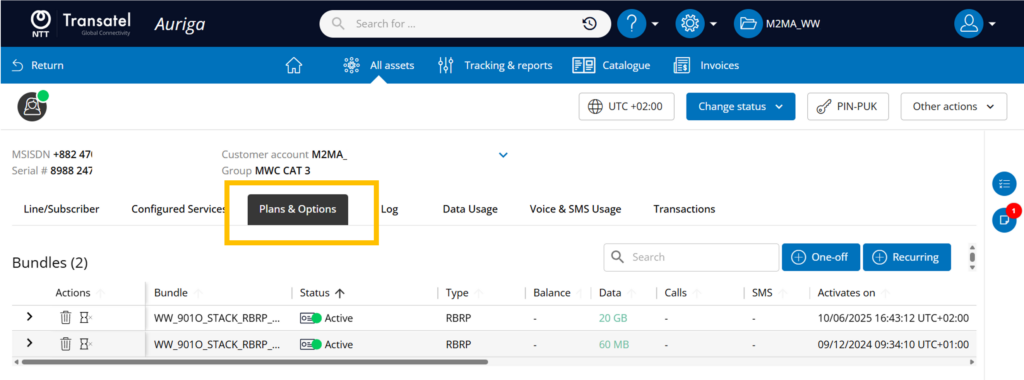
On the right, ou will see 2 “add” buttons, one giving access to the catalogue of one-off bundles, the second to add recurring bundles.

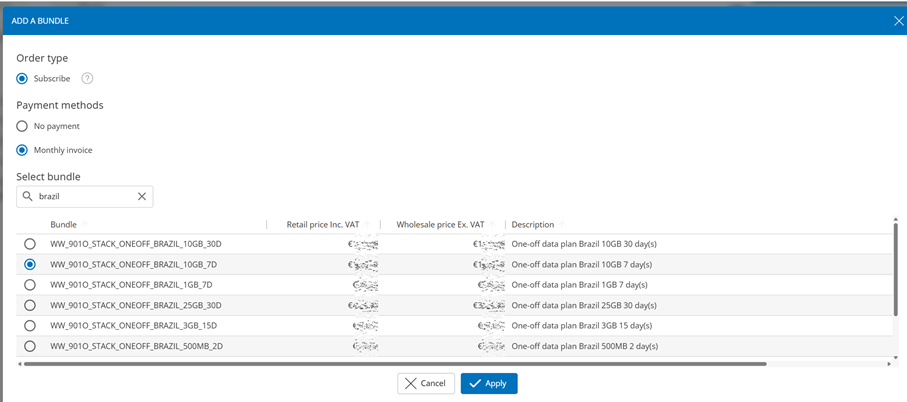
Click on Add for the type of bundle you wish to add, and the catalogue of your offer will be displayed.
Based on the pricing model of your offer, you will see displayed:
- The retail price for end-users
- The wholesale price (before discount) as per your rate plan
Now you will have to make a few choices:
- Order Type
The first selection is Order Type, and offers a choice only if the SIM is in Preactivated status
If your SIM is already active, the choice “Subscribe” will be the only choice and selected by default.
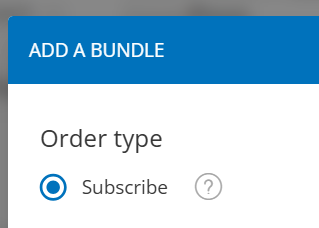
But if your SIM is in Preactivated status, you will have 2 possibilities: “Subscribe” and “Preload“
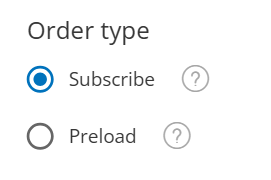
“Subscribe” adds and activates the bundle immediately. If your SIM is in preactivated status, the subscription will trigger the activation of the SIM.
“Preload” (only for SIMs in Preactivated status) adds the bundle, but it will not activate until the SIM itself activates, at the first usage of the SIM, or manual activation.
- Payment Method
Select a payment method (based on the choices available to your offer)
à If the pricing model of your offer has bundles with prices, you will be able to select “Monthly invoice)
à If the pricing model of your offer is pay-per-use based, with no prices set to the bundles, you can select “No payment”
- Bundle Selection
Now, select the bundle in the list – you can use the search bar to look up by name or description
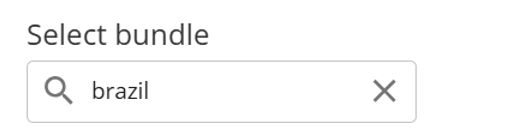
Now, click on Apply, and that’s it!
A confirmation message will briefly appear, and you will see the bundle displayed in the inventory.
Based on the pricing model of your offer, the price of the bundle will be added to your monthly invoice, or taken from your ongoing credit, or not charged at all.