


On this page
Adding Capped Bundles in Bulk
This article explains how to add capped bundles to multiple SIMs simultaneously using the CSV import functionality in Auriga.
1. Eligibility
For eligibility of capped bundles with your offer, please contact your Account Manager. Capped bundles can be added to a SIM:
- By preloading the bundle on a SIM in Preactivated status.
- By subscribing to the bundle on a SIM in Active status.
Depending on the type of bundle of your offer, bundles will activate either:
- Automatically at subscription (for MVNO UK and IoT Connect offers).
- When data traffic is made in a destination included in the bundle (for Ubigi and Service Provider Connect offers).
For further information on the automatic bundle start, please check this article
If you are unsure of your offer, please contact your Account Manager.
2. Adding Bundles in Bulk
Bundles can be added in bulk by importing a CSV file into Auriga from the dedicated menu. To do so, follow these steps:
- Log in to Auriga.
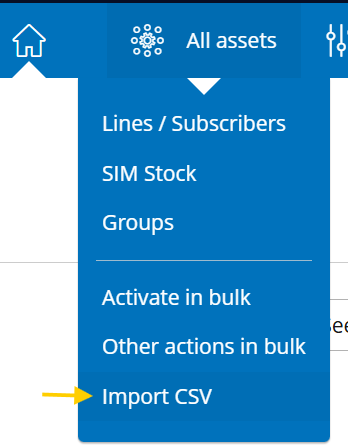
- Navigate to All Assets & Click Import CSV.
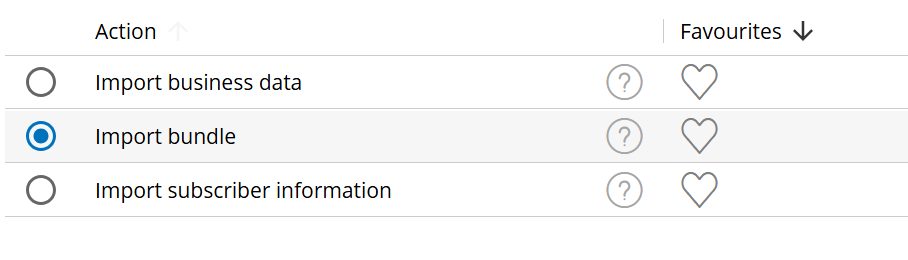
- Select import bundle and click “Next”

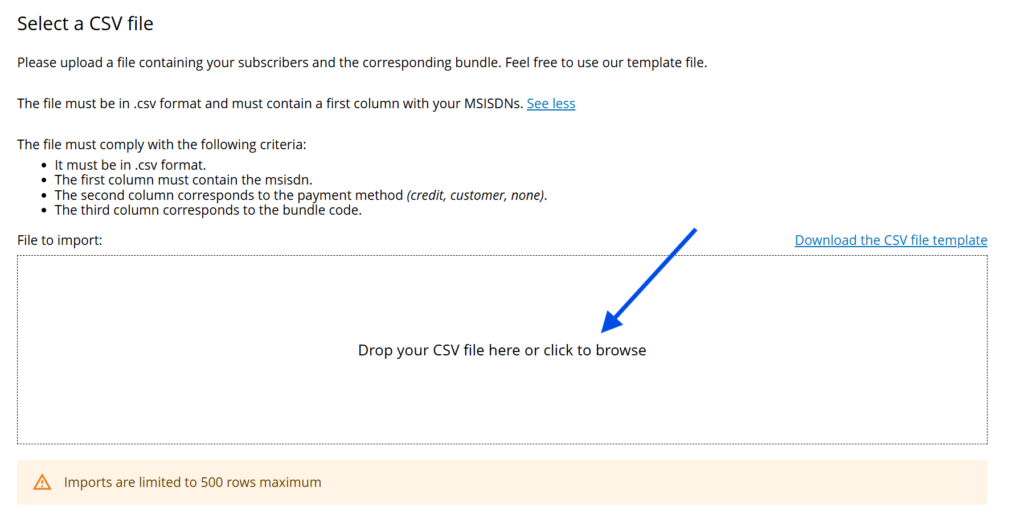
- Upload your CSV file in the follwing screen, either by drag & drop, or uploading the file from your device.
- Review the Import Validation results.
- Click OK to confirm the import.
3. Creating Your CSV
Please upload a file containing your subscribers and the corresponding bundle. Feel free to use our template file.
The file must comply with the following criteria:
- It must be in .csv format.
- The first column must contain the MSISDN.
- The second column corresponds to the payment method (
credit,customer,none). - The third column corresponds to the bundle code.
Example
MSISDN,PaymentMethod,BundleCode
33612345678,customer,EU_500MB_CAP
33612345679,customer,EU_500MB_CAP
4. Where Can I Find My Bundle Codes?
Bundle codes can be found:
- From the Plans and Options tab when viewing the details of an eligible line.
- Using the OCS API to query the product catalogue: https://developers.transatel.com/docs/ocs-products/#product-catalog
- From the Excel file containing the commercial details of capped bundles, shared periodically by your Account Manager.
See also: How to add a capped bundle to a single SIM
See also: Understanding capped bundles