On this page
Restricted Users
What are Restricted users?
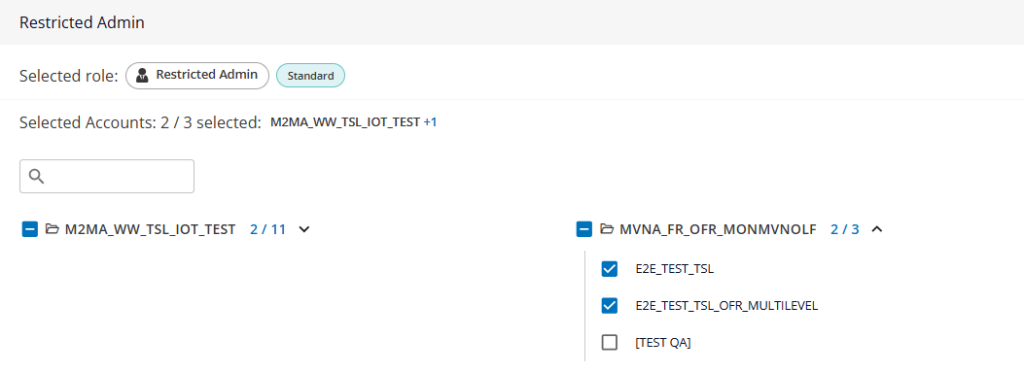
Restricted users are users that only have access to one or multiple Groups of SIMs.
For example, if you have created Groups in your account for each of your organization’s projects or customers, you might need to restrict some of your users so that they can only view and manage these specific groups.
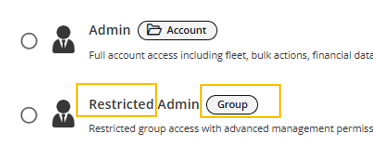
These users can be easily identified, as their role will include “Restricted” in its name, and the label “Group” will be displayed next to it.
Limitations of restricted users:
If your restricted user has Fleet Manager or Admin roles, they may still perform actions that could impact SIM cards from groups they do not have access to.
For example:
- if they modify the options of a Service Profile that is used by other groups
- if they create high usage alerts with automatic suspension that apply to other groups
If this is a risk for your organization, we recommend that you grant only Customer Care role to your restricted users.
Creating a Restricted user
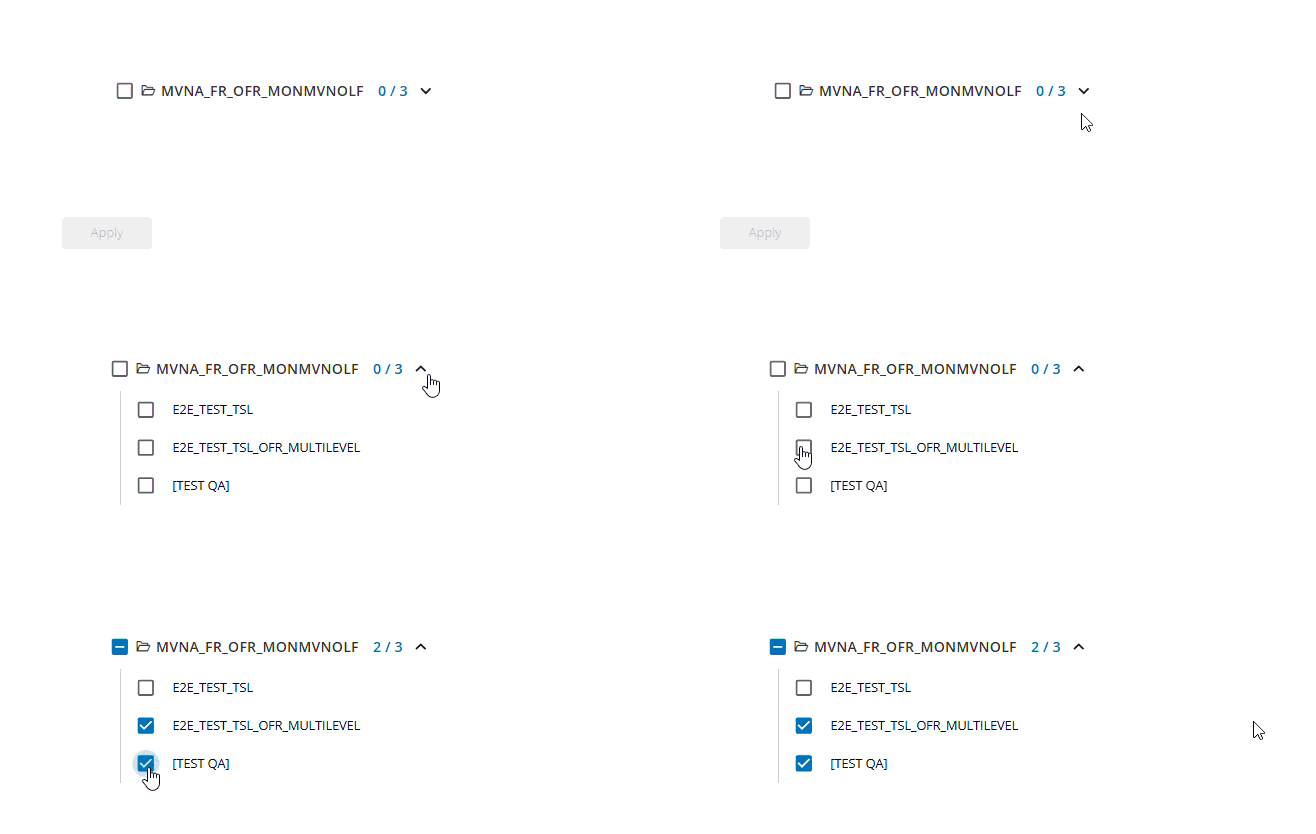
When selecting a Restricted role, you will see the down arrow below the account’s name.
Click on the down arrow to display the Groups and select which this new user should have access to
Managing a Restricted User
You can check the Groups the user has access in the Manager users menu.
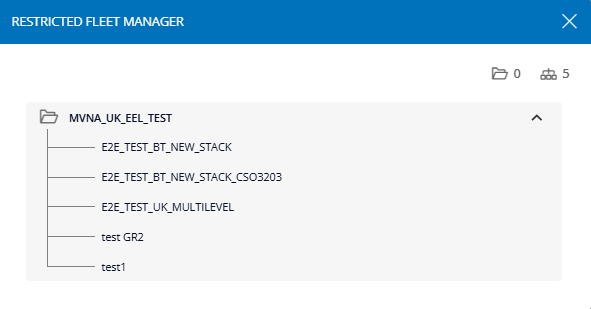
The label will display how many accounts (folder icon) and groups (organigram icon) they have access to:

Click on the label to display the detail
You can add or remove groups to the Restricter users by using the “edit” button
You can then add or remove Groups to this user’s permissions