


On this page
Adding Subscriber Data in Bulk
This article explains how to add subscriber data to multiple SIMs simultaneously using the CSV import functionality in Auriga.
Maintaining subscriber data in Auriga provides several operational and regulatory benefits. Subscriber information can be used to quickly identify the user associated with a SIM, making customer support, troubleshooting, and fleet management more efficient. It also allows Auriga to serve as a CRM and subscriber management platform, helping operators maintain a centralized and up-to-date view of their subscriber base. Additional benefits include improved reporting, easier SIM ownership tracking, faster incident resolution, simplified customer management processes, and support for regulatory and legal disclosure requirements where applicable.
1. GDPR and Regulatory Requirements
When uploading subscriber data into Transatel platforms, the MVNO must ensure that the appropriate contractual data protection appendix has been signed.
By uploading subscriber data, the MVNO acknowledges that:
- The MVNO remains the Data Controller of the subscriber information.
- Transatel acts solely as the Data Processor on behalf of the MVNO.
For MVNA Light, MVNE UK, and MVNE Belgium businesses, providing accurate and up-to-date subscriber information is mandatory if the Disclosure Form declares that the legal disclosure service is delegated to the MNO. In this case, subscriber data must be maintained and kept up to date at all times.
2. Adding Subscriber Data in Bulk
Subscriber data can be added in bulk by importing a CSV file into Auriga from the dedicated menu. To do so, follow these steps:
- Log in to Auriga.
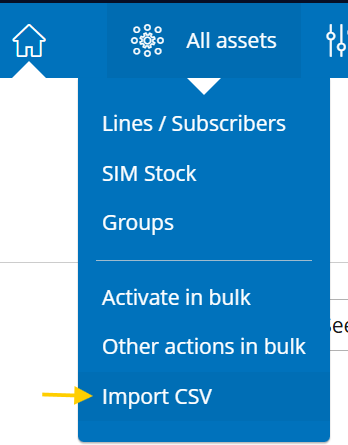
- Navigate to All Assets and click Import CSV.
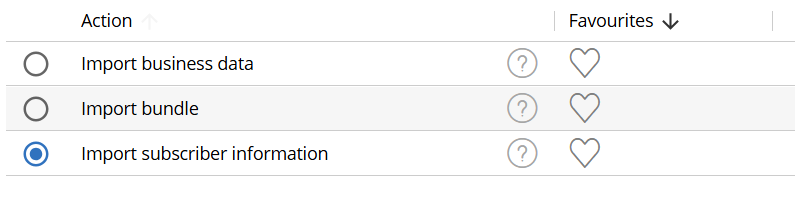
- Select Import Subscriber Data and click Next.

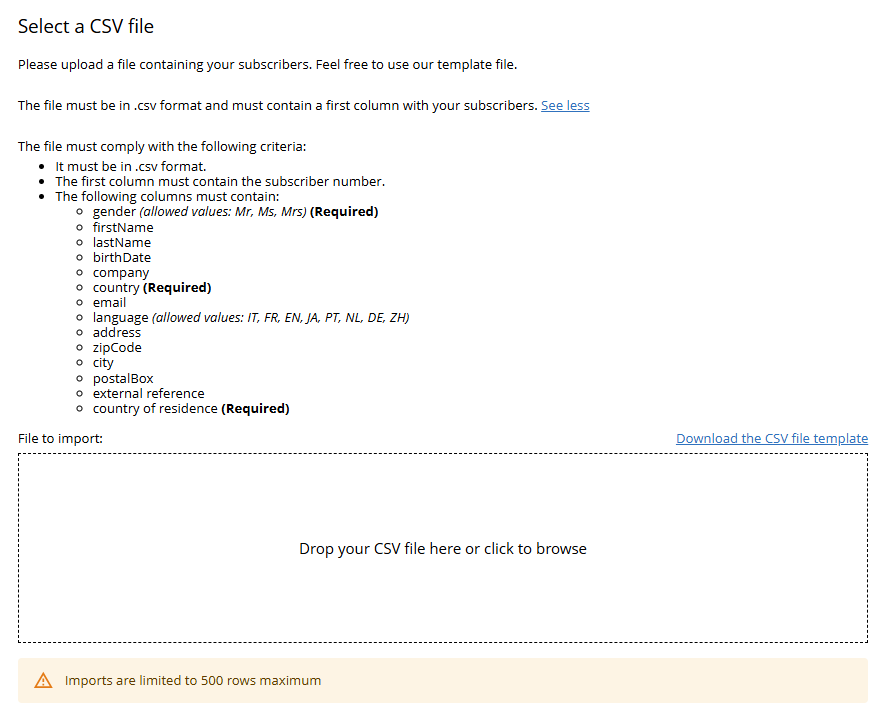
- Upload your CSV file on the following screen, either by drag & drop or by selecting the file from your device.
- Review the Import Validation results.
- Click OK to confirm the import.
3. Creating Your CSV
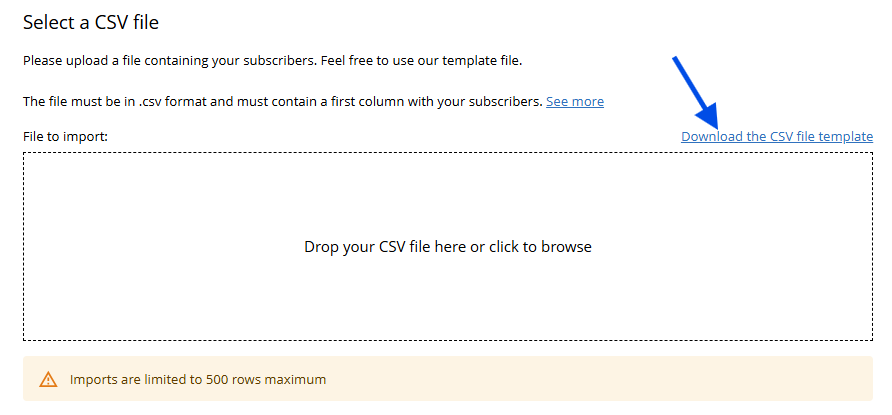
Please upload a file containing your subscribers and their associated subscriber data. Feel free to use our template file, which can be downloaded from the Import CSV page in Auriga.
The file must comply with the following criteria:
- It must be in .csv format.
- The first column must contain the serial number of the SIM (ICCID).
- The following columns may contain subscriber information as described below.
- Imports are limited to 500 rows per file.
Subscriber Data Fields
| Field | Description |
|---|---|
gender | Subscriber title. Allowed values: Mr, Ms, Mrs (Required) |
firstName | Subscriber first name |
lastName | Subscriber last name |
birthDate | Subscriber date of birth |
company | Company name |
country | Subscriber nationality (ISO 3166-1 alpha-2 country code, e.g. FR, GB, BE) (Required) |
email | Email address |
language | Preferred language. Allowed values: IT, FR, EN, JA, PT, NL, DE, ZH |
address | Street address |
zipCode | Postal code |
city | City |
postalBox | Postal box |
external_ref | External customer reference |
country_residence | Country of residence (ISO 3166-1 alpha-2 country code, e.g. FR, GB, BE) (Required) |
Note: Required fields must be populated for every subscriber. Any unsupported values or incorrectly formatted data will be flagged during the validation process.
Example
subscriber;gender;firstName;lastName;birthDate;company;country;email;language;address;zipCode;city;postalBox;external_ref;country_residence
01261178.00000068;Mr;John;Doe;23/03/2020;Transatel;FR;john.doe@transatel.com;EN;1 rue de Rivoli;75001;Paris;BP75;my ext ref;FR
See Also
Adding or editing SIM and subscriber information for a single SIM card: https://docs.transatel.com/sim-management/how-to-group-tag-and-label-your-sims/