


On this page
Using Metadata (custom fields)
What are metadata
As we work with a wide range of customers with very different use cases, the management of these fleets can vary greatly from one customer to another,
And the references used to identify a subscriber or a device from one another are specific to each customer.
To address this issue, we have introduced metadata, custom fields enabling you to import your own data, with the names that speak to you, to efficiently manage your fleet through our interface.
For example, you can now create custom metadata “keys” to identify the SIMs according to a device ID, a product ID, an order number…
Where to find the metadata?
Metadatas are displayed on the Subscriber Line Details page (except for available lines).
All metadata keys are prefixed with a # to distinguish them from other fields.
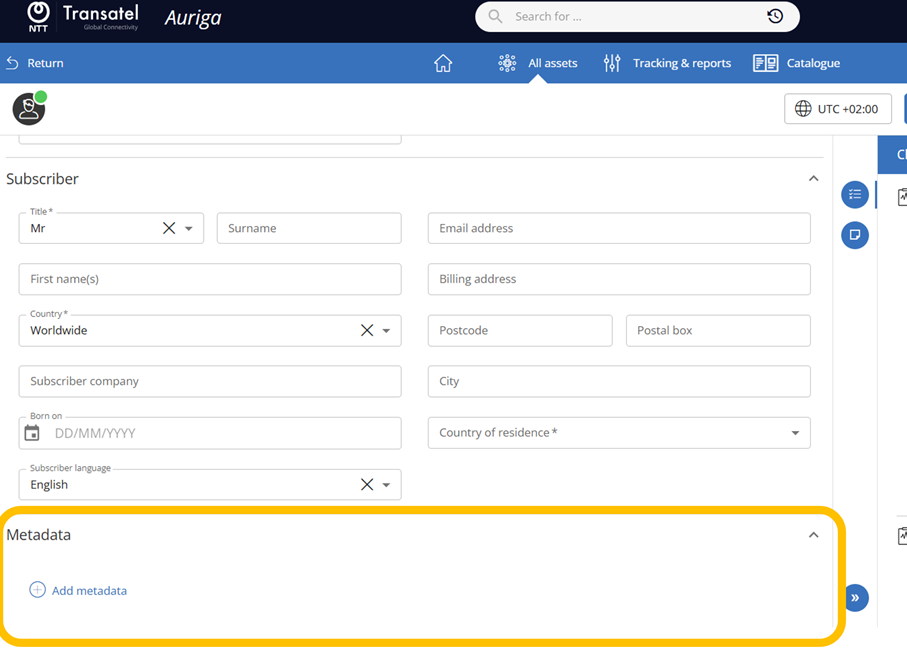
How to populate metadata for a single line
Metadata keys, values, and filters are case-sensitive.
When you first enter a medata, click on “+ add metadata”
Type the name of your key – if it has never been used before, the menu will suggest to create it as a new key – click on “Validate”
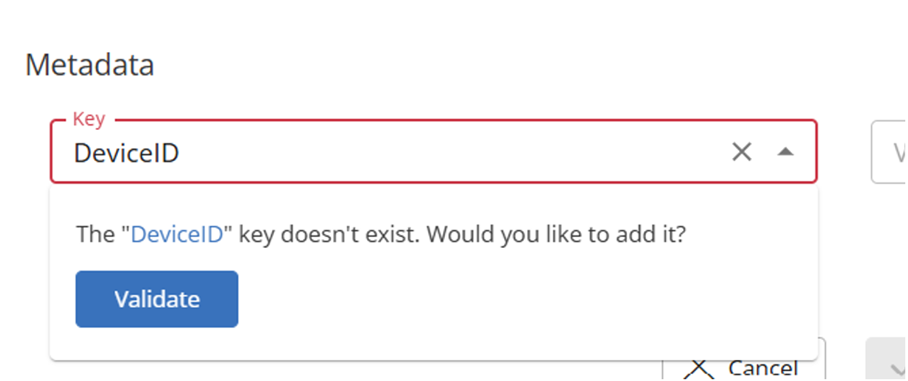
You can then enter the value of the key, and validate
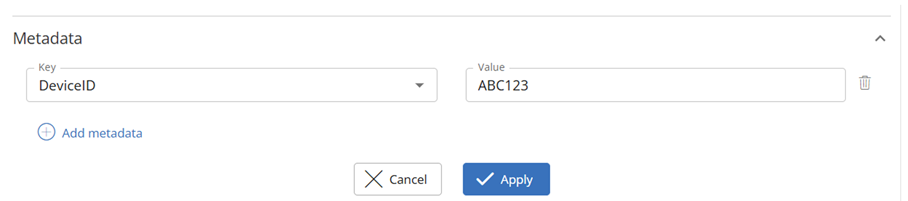
You can then continue to add additional keys and their values:
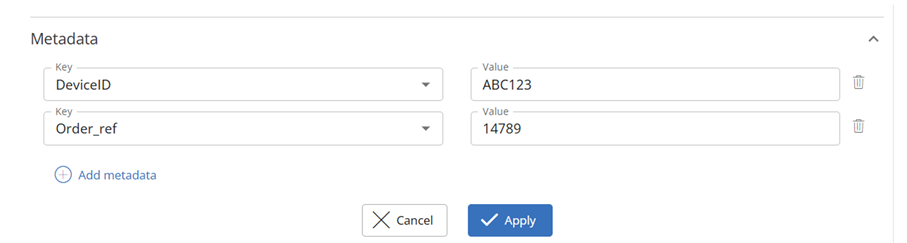
Once you have started populating metadatas, the interface will help by suggesting:
- For keys, a list of up to 15 most commonly used keys.
- For values, up to 10 most commonly used values
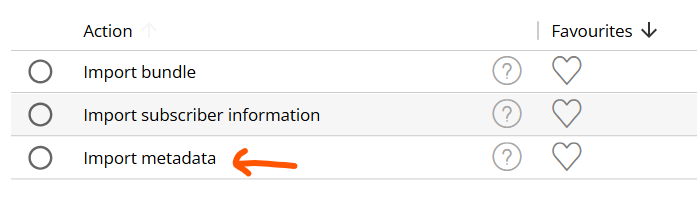
The menu currently only allows to import metadatas, but in the future it will allow different types of import. You will then need to select “import metadatas”
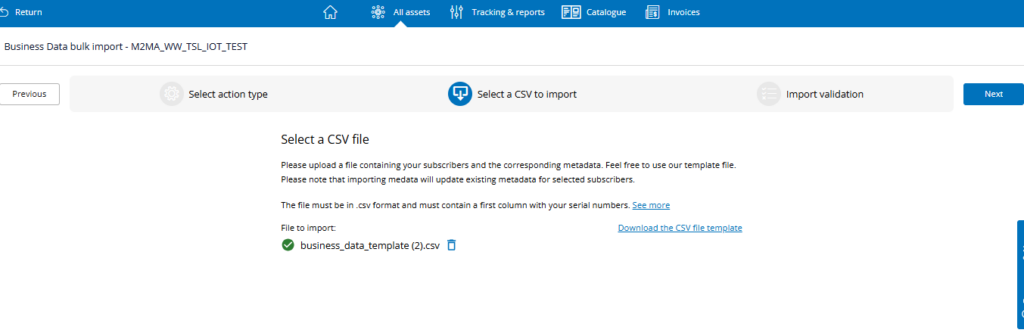
The first column of the file must contain the serial number. Metadata fields must be prefixed with #.
Adding metadata in bulk
You can add metadata in bulk from the Park > CSV import menu.
In the list of bulk imports, select “meta data”
In the next window you will be able to download a CSV template. Once your file is ready, import it in the window
Searching by metadata
You can use metadata to search for SIMs
- In the search bar – directly type the value for the key
- In the filter panel – you can see your keys in the panel